Booking Software vs CRM (2026): Do You Really Need a CRM for Your Small Business?
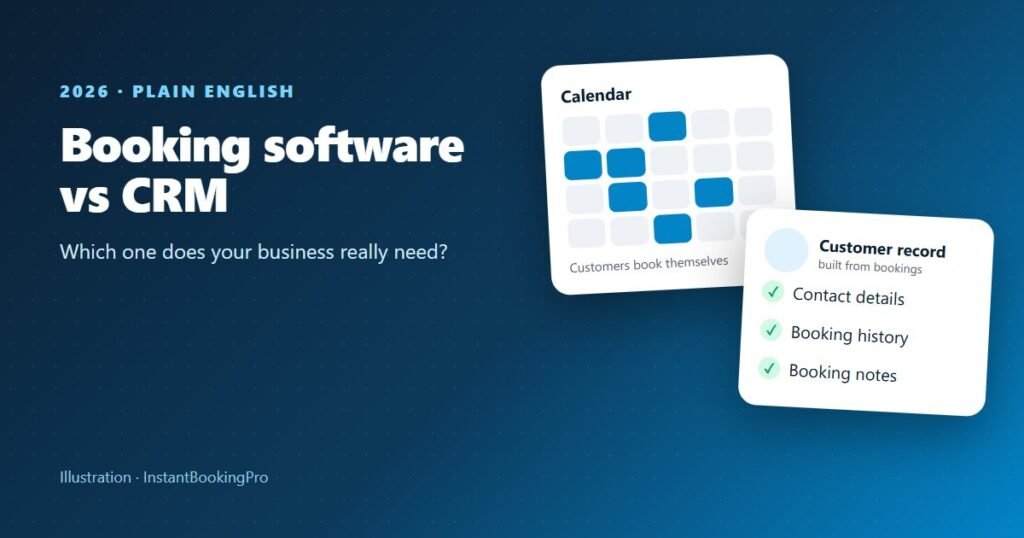
Booking software manages appointments: live availability, customers booking themselves and a confirmation for every booking. A CRM is a structured memory of your customers and your sales pipeline. Most small service businesses don’t need a full CRM. Booking software with a “mini CRM” covers them, because customer records and booking history build themselves from bookings instead of from evening data entry. A full CRM earns its keep when you manage long, multi-step sales.
What a CRM actually is, in plain English
Strip the jargon and a CRM (customer relationship management) system is a structured memory of your customers: who they are, how to contact them, what they’ve booked or bought, what was said last time and what should happen next. The whiteboard of regulars’ names, the diary and the owner’s memory are all CRMs. They just don’t scale past one busy person, and they walk out the door with them. The question isn’t whether you need a customer memory, because every business does. It’s how heavy a tool you need to keep it.
What booking software does, and how it’s different
Booking software solves a different problem: letting a customer pick a genuinely free time and lock it in without a phone call. A CRM remembers customers; booking software wins and schedules the work. The confusion arises because good booking systems also build customer records as a by-product of taking bookings.
| Booking software | Full CRM | Booking system with mini CRM | |
|---|---|---|---|
| Main job | Appointments: live availability, self-booking | Sales pipeline: leads, deals, follow-up tasks | Appointments plus customer records built from bookings |
| Who enters the data | The customer, by booking | You or your team, by hand | The customer, by booking |
| Takes bookings? | Yes | Usually not without add-ons | Yes |
| Built for | Appointment-based businesses | Long, multi-step sales | Service businesses that live on repeat appointments |
| Typical pricing | Flat or per staff member, monthly | Often per user, monthly, plus add-ons | Flat or per staff member, monthly |
How do I know if my business needs a CRM?
For most appointment-based businesses, such as cleaners, mobile mechanics, salons and dog groomers, the honest answer is no, not a full one. Large CRM platforms are built for sales teams running pipelines: leads move through stages, reps log calls and managers forecast revenue. That’s the wrong shape for most service businesses:
- Your sales cycle is minutes, not months. Someone finds you, checks your times and books. There’s no pipeline, just an appointment to schedule.
- Data entry falls on you. Nobody who’s been working all day logs call notes at 7pm. Empty CRMs are common in small business.
- Cost and complexity stack up. Per-user pricing, paid add-ons, setup and training.
- It doesn’t fix the actual leak. For most service businesses the money walks out through missed calls and after-hours enquiries. A CRM doesn’t take a booking at 9pm.
You probably do need a full CRM when sales take weeks and several follow-ups, when you juggle many open quotes worth forecasting, when you sell to businesses with several decision-makers, or when someone’s full-time job is working a sales pipeline. Growing businesses often end up running both.
Is Excel (or a spreadsheet) a CRM?
A spreadsheet can work as a very simple CRM, and at the very start it’s fine. A spreadsheet of names, numbers and last-visit dates beats nothing and costs nothing. It breaks in predictable ways, though: it only knows what you remember to type, it can’t take a booking or stop a double booking, and two people can’t safely update it at once. The day you catch yourself copying details between a spreadsheet, a calendar and your texts, it has done its job.
Tip: Moving off a spreadsheet doesn’t need a big migration. A booking system builds your customer list as people book; keep the spreadsheet as the backup for anyone who hasn’t booked yet.
Can I build my own CRM for free?
You can, with a spreadsheet, a free tier of a CRM product or a no-code tool. The cost isn’t the software, it’s your time: designing it, keeping it up to date and remembering to use it. For a service business, the free option that actually stays up to date is the one that fills itself in, which is what a booking system’s customer records do.
How much does a CRM cost for a small business?
Many CRM products have a free tier, and paid plans are usually priced per user per month, with extra cost for add-ons. Check current Australian prices on each vendor’s own pricing page, since they change often. Compare that with booking software, which is usually flat-priced or per staff member: InstantBookingPro is $59, $79 or $119 a month including GST, with the booking page and admin console set up for you. Our booking software cost guide lists current AUD prices for the main booking systems.
What a mini CRM inside a booking system covers
A booking system with a built-in mini CRM fixes the data-entry problem: every booking creates or updates a customer record. In the InstantBookingPro admin console you get:
- Customer records built from bookings. Customers sign in with Google or a one-time email link and add their phone number, so contact details are captured when they book.
- Booking history per customer. Search by name, phone or email and see what they’ve booked, when and with whom.
- Booking notes. Customers can add notes such as an address, access details or preferences (up to 500 characters).
- Reports. Bookings by service, customer, staff member and cancellations over any date range, with CSV export.
- Staff calendars. On the Scale plan, staff calendars and assignment set up to suit your business, with each person’s own hours, breaks and leave.
For most appointment-based businesses, that’s the useful part of a CRM. See how it looks in the admin console demo, a read-only copy for a fictional salon, or the live booking demo.
Watch out: Don’t buy the CRM first because it sounds more grown-up. An empty CRM costs money and changes nothing; a booking system starts capturing jobs and building customer records the week it goes live.
Decision checklist
A booking system with a mini CRM is probably the right size if:
- Customers can decide to book within minutes of finding you.
- Most jobs have a known time and price.
- Your biggest leak is missed calls and after-hours enquiries, not lost proposals.
- You’d rather customer records built themselves than do data entry.
- Repeat customers are your bread and butter.
You may need a full CRM (as well, or instead) if:
- You juggle many open quotes worth thousands of dollars for weeks at a time.
- Deals involve several decision-makers and follow-up sequences.
- Someone’s full-time job is sales, not delivering the service.
If the first list wins, start with booking: here’s how to take bookings online in 7 steps, and what missed calls cost your business. See it for salons and barbers and car washes and detailers, compare the best booking systems in Australia, and once you’re live, add a Book now button to Instagram and Google.
Booking and customer records in one, set up for you. Typically live within 24 hours, from $59 a month including GST.
Frequently asked questions
What’s the difference between booking software and a CRM?
Do I need a CRM for my small business?
Is Excel a CRM system?
Can I build my own CRM for free?
How much does a CRM cost for a small business?
Do I have to enter my existing customers by hand?
Get instant online bookings
We build and launch your branded booking system for you — typically live within 24 hours.