Google Business Profile Without a Shopfront (2026): Hide Your Home Address and Still Get Found
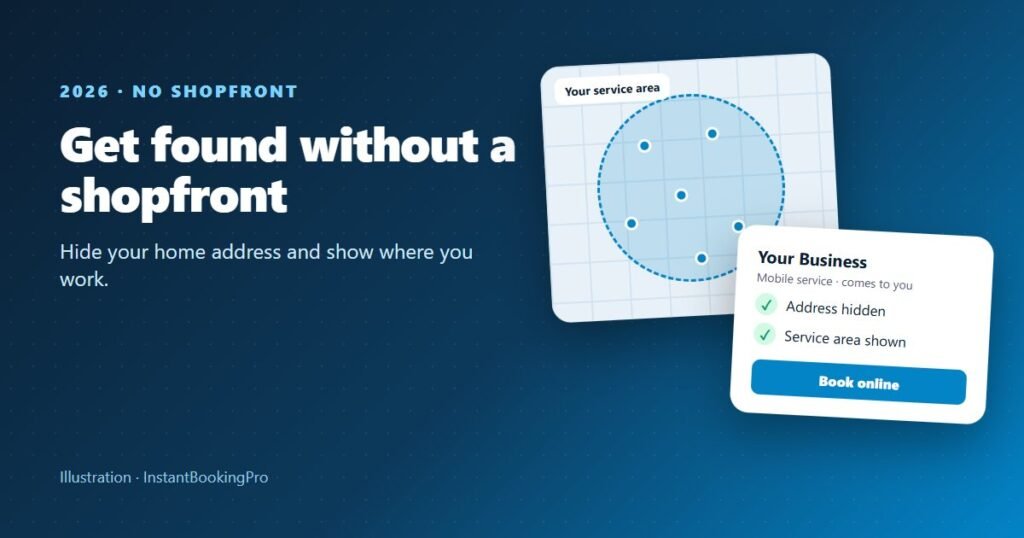
Yes, you can have a Google Business Profile without a shopfront. If you visit customers instead of having them come to you, set the profile up as a service-area business: enter your address so Google can verify you, turn off “Show business address to customers”, and add up to 20 service areas (suburbs, towns or postcodes) within about 2 hours’ drive of where you’re based. Then verify, add photos, ask every customer for a genuine review and add a booking link so people can book straight from your profile. Google’s own help pages are linked below, checked 19 October 2026.
General information only. Google’s rules and features change and can differ by country and business category. Check your own situation against the official Google Business Profile help pages linked here before you make changes.
Cleaners, mobile detailers, mobile hairdressers, dog groomers, tradies and home-based beauty businesses all have the same problem: you want to show up when someone nearby searches for your service, but you don’t want your home address on Google Maps. Google has a profile type built for exactly this.
What is a service-area business?
Google describes a service-area business as “a business that visits or delivers to customers directly but doesn’t serve customers at their business address”, and gives cleaning services and plumbers as examples (Google: manage your service areas). If customers come to you at a fixed location, such as a salon or a workshop, you’re a storefront business and your address stays visible. If you go to them, you’re a service-area business.
Can I hide my address on my Google Business Profile?
Yes. Google’s own advice is that if you don’t serve customers at your business address, you should remove it from your profile; its example is a plumber who runs the business from home, who should “clear the address from your Business Profile” (Google: guidelines for representing your business).
The address on a profile is public, so hiding it matters. In your profile, edit your business information, open the location section and turn off Show business address to customers (Google: edit your business address). The address stays in your account for verification; customers see your service area instead.
Do you have to put an address on Google Business Profile?
You enter one when you set up and verify the profile, but you don’t have to show it. What you can’t do is invent an address: Google’s guidelines say a virtual office isn’t eligible, and a PO box or mailbox in a remote location isn’t accepted either (Google: Business Profile eligibility). Online-only businesses aren’t eligible at all; to qualify, a business must make in-person contact with customers during its stated hours.
How to set up your service area
- List where you actually work Pick suburbs, towns or postcodes rather than a whole state. You can add up to 20 service areas.
- Keep it realistic Google says your service area shouldn’t be more than about 2 hours of driving time from where your business is based, and you can’t set it as a radius.
- Turn off your address Switch off “Show business address to customers” so only your service area shows.
- Give it time Google says edits can take up to 48 hours to appear.
Source: Google: manage your service areas. If you leave the service area blank, Google says a local area is chosen for you, so it’s worth setting it yourself.
How to verify Google Business without a shopfront
Google decides which verification methods you’re offered, and they can’t be changed. The options it lists include phone or text message, email, a live video call, a postcard and a recorded video (Google: verify your business). Google says video verification works for service-area businesses, and recommends it when it’s offered.
For video verification, Google asks for a live, unedited recording of at least 30 seconds, made on a mobile device (Google: verify with a video). It should show:
- Where you are: if you run a service-area business from home, Google says you can record landmarks and signs in your immediate neighbourhood instead of the inside of your house.
- That the business is real: your tools or equipment, a vehicle with your business branding, or business documents such as a permit, invoice or utility bill.
- That you manage it: for example, unlocking your branded van or showing equipment only staff can access.
Google says a video review can take up to 5 business days.
Tip: Before you record, plan a short route: the street sign at the end of your road, then your car or van, then your equipment. A single, steady take is easier than trying to fit everything in at once.
How do service-area businesses rank on Google Maps?
Google says local results are “mainly based on relevance, distance, and popularity” (Google: improve your local ranking). In practice:
- Relevance: choose the right primary category, list your services and write a full, accurate description.
- Distance: you can’t change how far the searcher is from you, which is why a realistic service area matters more than a huge one.
- Prominence: Google says this is based on things like how many websites link to your business and how many reviews you have.
Google is clear that “there’s no way to request or pay for a better local ranking”. Don’t add suburbs or keywords to your business name: Google’s guidelines say unnecessary information in the name isn’t permitted and could lead to the profile being suspended.
Reviews: what you can and can’t do
You can ask every customer for a review. Google suggests sharing a review link or a QR code (Google: get reviews). Two things to avoid:
- No incentives for Google reviews. Google treats reviews given in exchange for a discount, gift or freebie as fake and misleading content, and prohibits them. Australian Consumer Law has its own rules about incentives, but on Google the simple answer is never offer one.
- No cherry-picking. Google’s policy says businesses mustn’t discourage negative reviews or selectively ask only happy customers (Google: fake engagement policy). Ask everyone.
The ACCC says it’s against the law to create fake or misleading reviews or to arrange for others to, and that suppressing or editing negative reviews can mislead consumers (ACCC: online reviews).
Add a booking link so people can book from your profile
Once your profile is verified, you can add a link for appointments under the booking section of your profile (Google: add links to your Business Profile). Google’s rules say the link must go to a dedicated page where the customer can complete the action, so a booking page where customers pick a time and book is a good fit, while a social media page or a link shortener isn’t allowed (Google: action link policies).
For a mobile business, that link does a lot of work: a customer who finds you at 9pm can see your real availability and book, instead of leaving a message you return the next day. We cover the steps in how to add a Book now button to Instagram and Google.
Photos, posts and updates
- Photos and short videos of your work, your vehicle and your equipment. Google says photos show only after you verify, and videos can be up to 30 seconds (Google: photos and videos).
- Posts for updates, offers and events, with a button such as “Book” (Google: posts). Google archives posts after 6 months unless a date range is set.
- Accurate hours, including the hours you take bookings and travel to jobs.
Your checklist
- Set up as a service-area business and turn off “Show business address to customers”.
- Add the suburbs or postcodes you really serve (up to 20, within about 2 hours’ drive).
- Use your real business name, with no suburbs or keywords added.
- Verify using the method Google offers you.
- Add photos of real work, a description and your services.
- Add your booking link.
- Ask every customer for a genuine review, with no incentives.
See how booking works for mobile and home-based businesses: cleaning businesses, car washes and mobile detailers and salons and barbers. Just starting out? Read how to start a cleaning business in Australia.
Starting out without a shopfront? We’ll set up your booking page, and a website if you want one, so the link on your Google profile goes straight to a page where customers can book. Booking from $59 a month including GST, typically live within 24 hours.
Frequently asked questions
Can I hide my address on my Google Business Profile?
Do you have to put an address on Google Business Profile?
Can I create a Google Business Profile without a shopfront?
How do I verify Google Business without a shopfront?
How many service areas can I add?
Can I offer a discount for Google reviews?
Can I add a Book button to my Google Business Profile?
Google help pages and the ACCC page checked on 19 October 2026. Google’s features and rules change; confirm current details on the linked pages.
Get instant online bookings
We build and launch your branded booking system for you — typically live within 24 hours.