How to Add a ‘Book Now’ Button to Instagram and Google (2026 Step-by-Step)
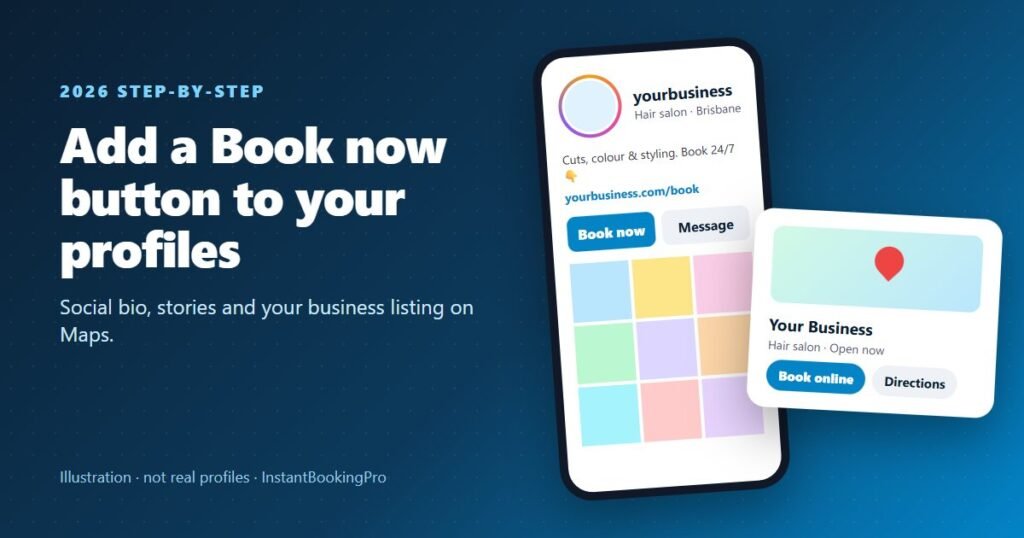
Many customers look you up on Instagram or Google first, so that’s where your booking link belongs. On Instagram, add your booking link to your bio (Edit profile → Links → Add external link) and use the Link sticker in your stories. Instagram’s own “Book now” action button only works with its listed booking partners. On Google, add your booking link to your verified Business Profile under Booking (on Search) or Edit profile → Booking (on Maps). Both take about five minutes. Steps checked against Instagram and Google’s help pages on 19 October 2026.
A customer scrolling your Instagram at 9pm, or finding you on Google Maps on a Saturday, is ready to book right then. If the only option is to call or send a message, some won’t. A booking link one tap away lets them pick a time while they’re keen. Here’s exactly how to add it, what each option needs, and what to do if a button doesn’t show.
Before you start: get your booking link
You need a booking page with its own web address, where customers choose a service and time and book themselves. With InstantBookingPro, we build that branded booking page for you and give you the link, typically within 24 hours of receiving your services and hours. Want to see what customers would tap through to? Try the live booking demo.
Tip: Link straight to your booking page, not your homepage. Every extra tap loses some customers.
Instagram: three ways to add a booking link
1. Your bio link (works with any booking page)
This is the most important one, and it works with any booking link.
- Open your profile In the Instagram app, tap your profile picture in the bottom right.
- Tap Edit profile It’s at the top of your profile.
- Tap Links, then Add external link Paste your booking page address and give it a title such as “Book online”.
- Tap Done If you have more than one link, use Options → Reorder links to put your booking link first.
You can add up to five links. Adding them is done in the Instagram app on your phone; Instagram’s help centre says the feature isn’t available on computers. Then mention it in your bio text, for example “Book 24/7 at the link below”.
2. The Link sticker in your stories
Stories are where you show off your work, so give viewers a way to book on the spot.
- Create a story Add a photo or video as usual.
- Open the sticker tray Tap the sticker icon, then tap Link.
- Paste your booking link Change the sticker text to something clear, such as “Book now”.
- Share, then save it to a Highlight A “Book” Highlight keeps the link on your profile after the story disappears.
Link stickers work in regular (organic) stories. Instagram says very new accounts, or accounts that repeatedly break its rules, may not have them.
3. Instagram’s “Book now” action button (partners only)
Business and creator accounts can add one action button to their profile: Edit profile → Action buttons (under Public business information) → Book now → choose a provider. The catch is that the button only connects to Instagram’s listed booking partners, such as Fresha, Timely, Square, Setmore, Acuity and Vagaro, or to an Instagram lead form. There’s no option to paste your own link. Instagram also says the feature is being introduced gradually, so some accounts won’t see it yet.
InstantBookingPro isn’t one of those partners, so if you use us, your bio link and story Link stickers are the way to go. Your booking page carries your own branding, too.
Google Business Profile: add a booking link
When someone searches for your business, or for “barber near me”, your Business Profile is often the first thing they see. Adding a booking link puts a booking option right on it.
Before you start
- Your profile must be verified. Google only lets verified businesses add links.
- Your category must be eligible. Appointment businesses such as hair salons can usually add booking links, but not every category and region can.
- The link must lead to a page where customers can actually book. Google checks links automatically, so the page must load without a login or CAPTCHA. Social media and messaging links aren’t accepted as booking links.
Step by step
- Find your Business Profile Sign in with the Google account that manages your profile, then search for your business name on Google, or open Google Maps.
- Open the booking links On Google Search, select Booking. In Google Maps, select Edit profile, then Booking.
- Add your link Select Add link (or Add another link), paste your booking page address and select Save.
- Set it as preferred If you have more than one booking link, choose Set preferred link so Google shows yours first.
Google reviews edits before they go live. It says most take up to 10 minutes, but some can take up to 30 days. Your link then appears in the booking section of your profile on Search and Maps.
Reserve with Google vs your own link
Google also has an integrated booking feature, Reserve with Google, where customers book inside Google itself. It’s only available in some countries and only through Google’s supported scheduling providers, and providers may charge for it. Your own booking link works without a provider.
Instagram “Book now” button not showing? Common fixes
- Check your account type. Action buttons are only for business and creator accounts. Switch in your settings if you’re on a personal account.
- Check your provider. The Book now button only lists Instagram’s partners, and you need an existing account with one of them.
- It may not have reached you yet. Instagram is rolling the feature out gradually.
- Use the bio link instead. It works with any booking page and is always available.
More places to put your booking link
- Your Facebook Page: add your booking link to the About section, and check the action button options (Options → Add action button) for one that links to your booking page.
- Your website: put a “Book now” button in the header of every page.
- Your email signature, invoices and the text you send after a missed call.
- A QR code on your counter, business cards or van.
See how a booking page works for salons and barbers and car washes and detailers. If you’re still choosing a system, compare the options in our guides to the best online booking systems in Australia and what booking software costs.
Don’t have a booking link yet? We’ll build your branded booking page and give you the link to add everywhere, typically live within 24 hours. From $59 a month including GST.
Frequently asked questions
How do I add a Book now button to Instagram?
How do I add a book now link to my Instagram story?
How do I add the Square Book now button on Instagram?
How do I add a Book now button to my Google Business Profile?
Why can’t I add a booking link on Google?
How do I remove a Book online button from my Google Business Profile?
Steps checked against Instagram and Google Business Profile help pages on 19 October 2026. Both apps change their menus from time to time, so labels may differ slightly on your phone.
Get instant online bookings
We build and launch your branded booking system for you — typically live within 24 hours.